Digital QR code menus for restaurants, bars and cafés
For restaurants, bars and coffee shops. Your customers scan the code and see your menu in their language, from Greek and English to Chinese and Arabic. You change prices and dishes online, in seconds.
Start free trial30 days free. No card needed.
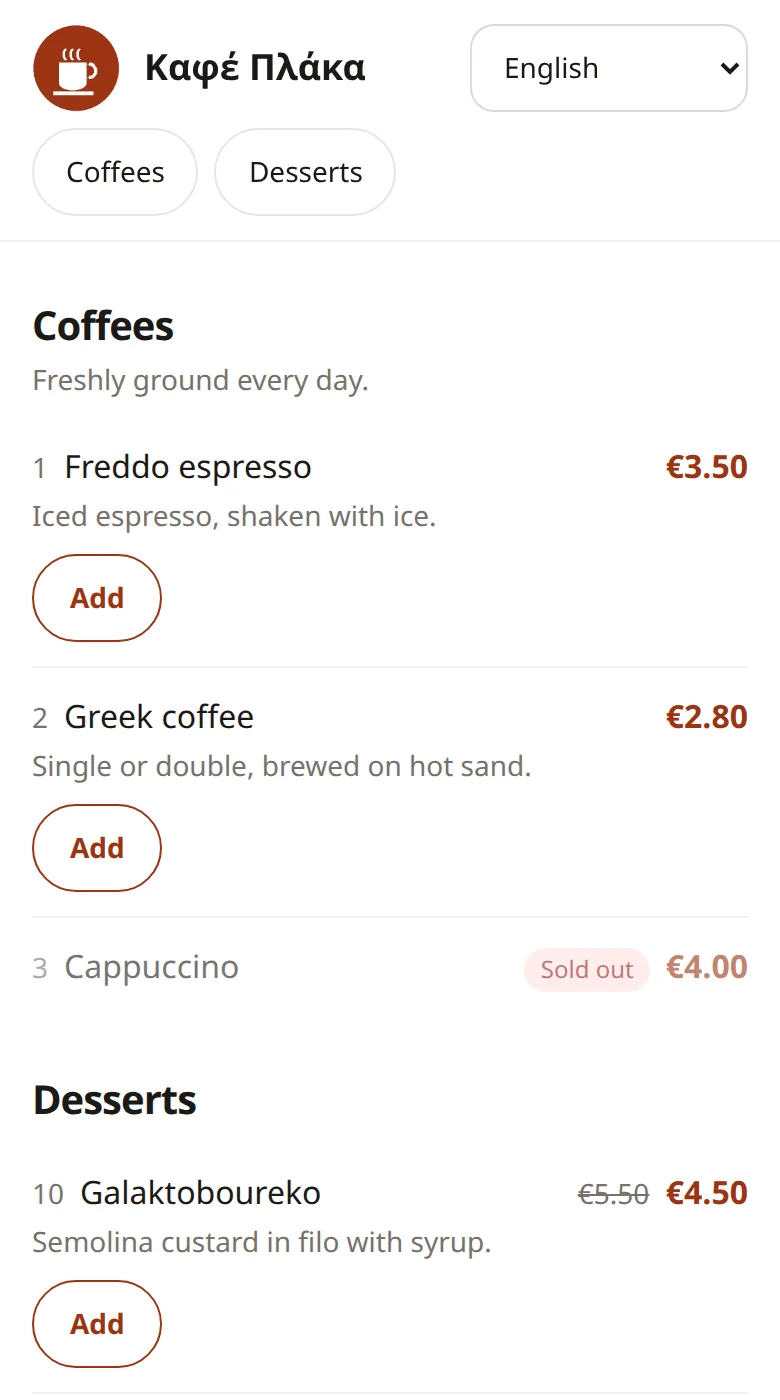
Everything a menu needs, nothing it doesn't
Recaba is made for small places that want a fast, clear menu without an app, a tablet or a web designer.
-
A QR code that never breaks
Print it once. Change the menu as often as you like; the code keeps working.
-
Changes in seconds
New prices, a dish that is sold out, a new photo: publish and it is online.
-
No app for customers
The menu opens in the phone's browser, fast even on slow mobile data.
-
Happy hour that runs by itself
Set discounts and categories by day and time. They start and stop by themselves.
-
Templates that fit your place
Choose a design for your menu and switch it whenever you like.
-
Several branches, several managers
Each branch has its own menu and QR code. Give your staff only the rights they need.
-
Notes like “frozen”
Mark dishes with *, ** and explain them under the category: frozen products, alcohol or anything guests should know.
-
Legal details included
Business name, VAT number, address and the person responsible at the end of the menu and on the printed PDF.
-
Safe sign-in
Password plus a code by email. Trust your own phone; important changes always ask for a code again.
14 languages
Every guest reads the menu in their own language
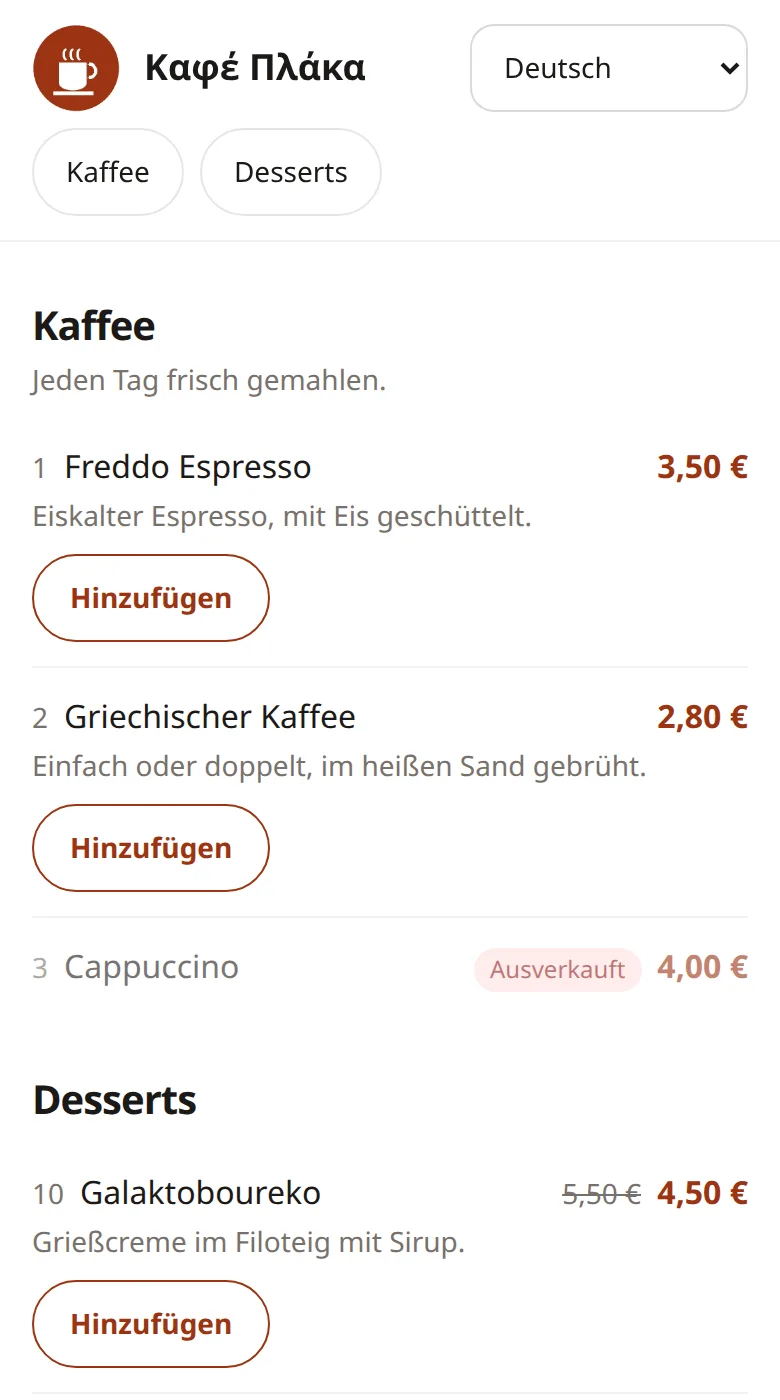
Write your menu once in your language. Recaba suggests the translations with AI and you check them before they go online. Guests see the language of their phone and can switch at any time. Now also for visitors from China, Japan and the Arab world.
- English, Greek, German, French, Italian, Spanish, Russian, Turkish, Hebrew, Albanian, Bulgarian, Chinese, Japanese and Arabic
- AI suggestions that you can edit
- Right-to-left for Hebrew and Arabic
Easy to manage
Change your menu from your phone
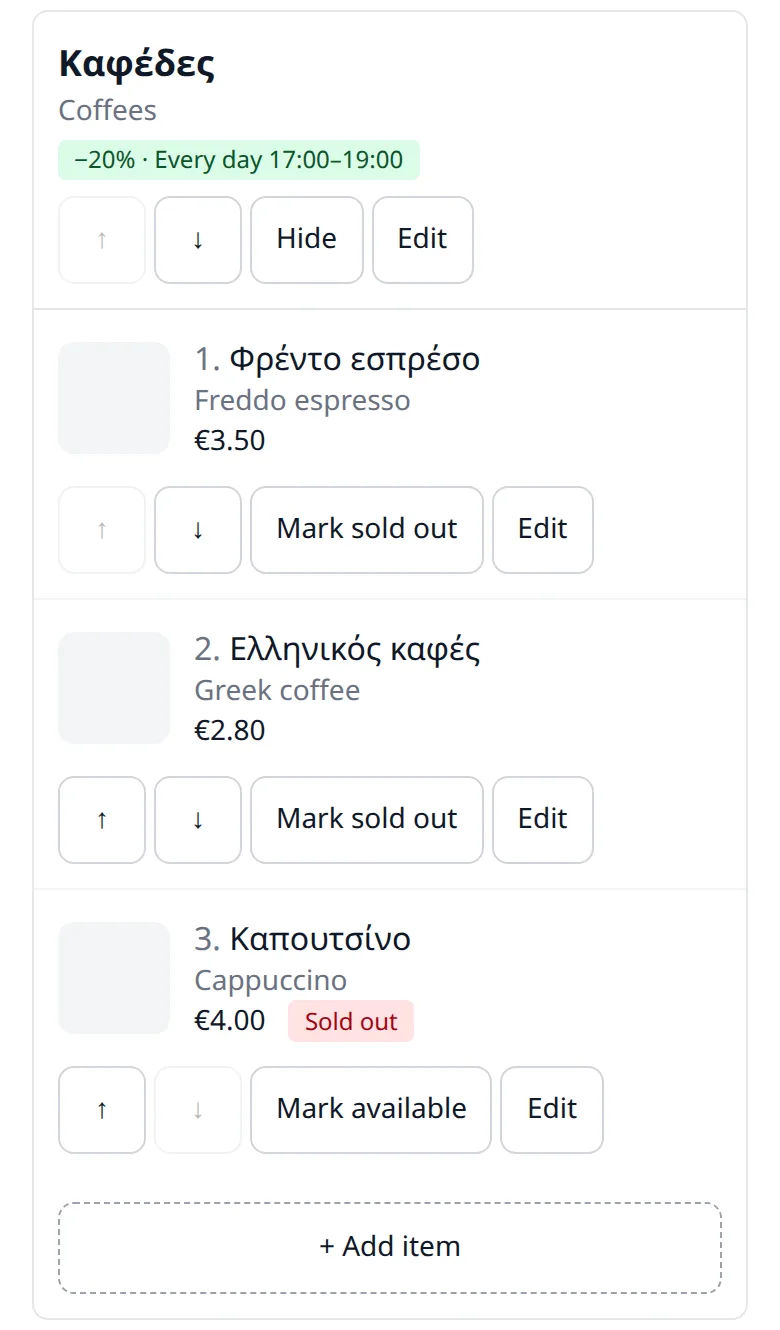
Everything works on a phone, so you can update the menu from behind the bar. Add dishes and photos, change prices, hide a category and publish when you are ready.
- Mark a dish sold out with one tap
- Time-based prices and categories switch on and off by themselves
- Printed menus as PDF, in the paper size you need
- À la carte: one price for a whole category
Notes and legal details
Clear marks for your guests, your details where they belong
Mark frozen products, dishes with alcohol or anything special with an asterisk, and explain it at the end of the category, in every language. At the end of the menu Recaba shows your business name, VAT number, address and the person responsible, plus your own text, online and on the printed menu.
- * Frozen product, ** Contains alcohol and more
- Business details and person responsible at the end of the menu
- The same on the printed PDF menu
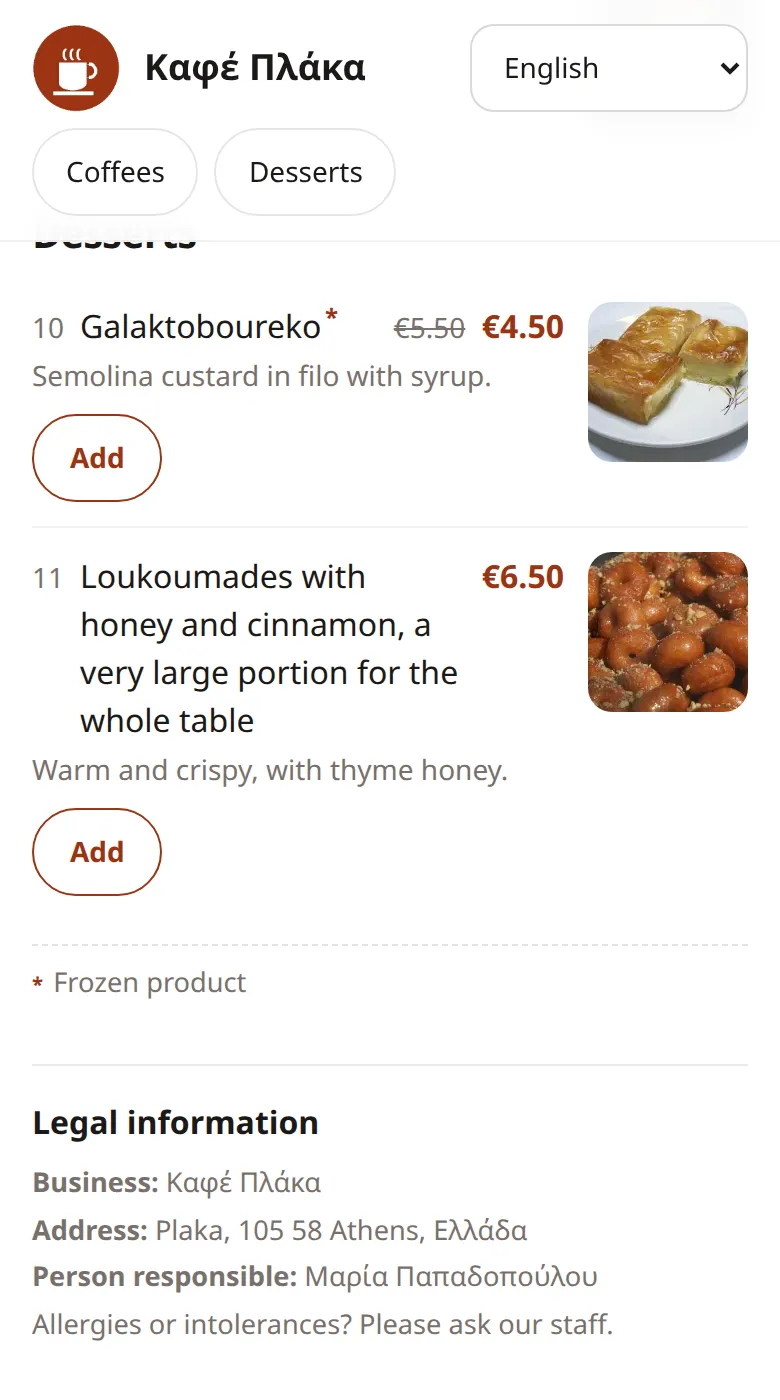
Table cart
Guests can add up their order before they call you
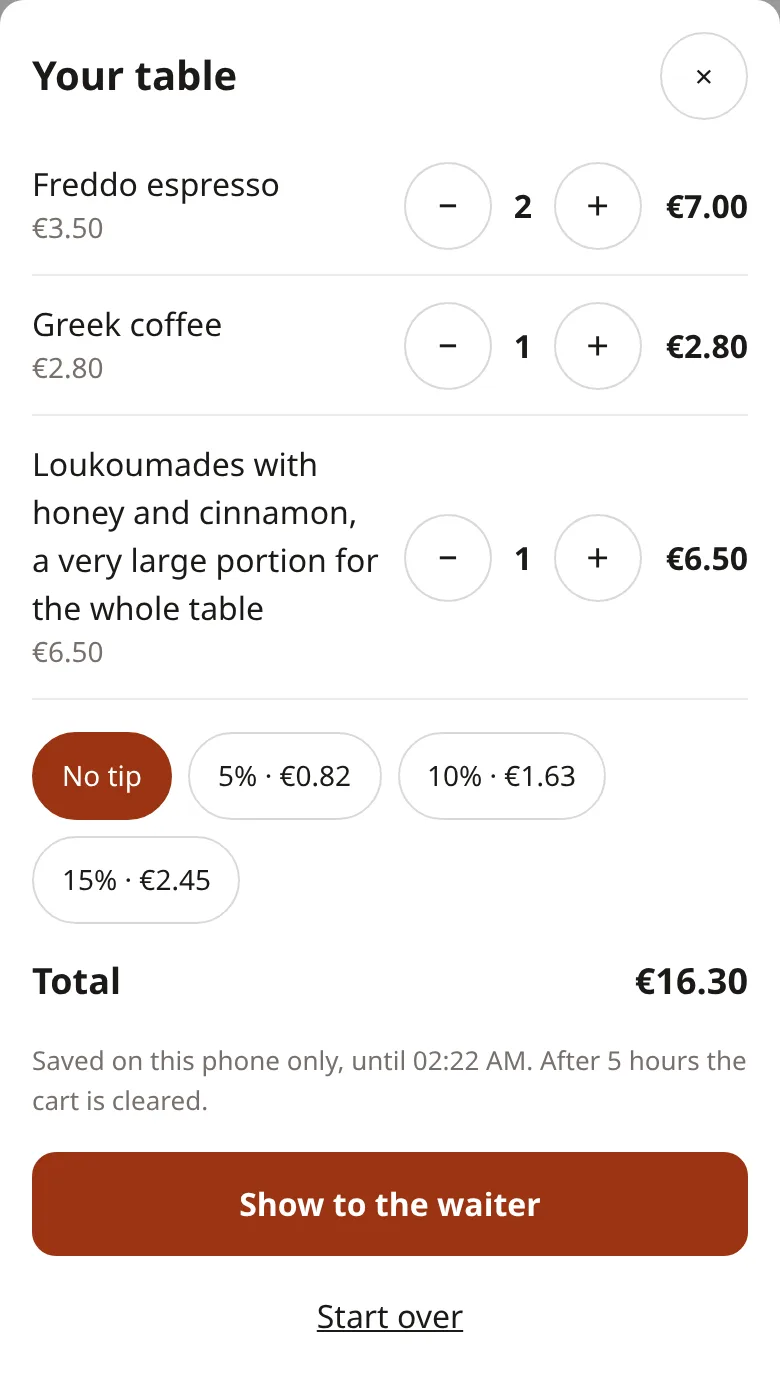
Guests pick dishes, see the total with a suggested tip and show the list to the waiter. No app, no sign-up, and nothing is stored on our servers.
- Tip suggestions you choose, or switch off
- A clear view to show the waiter
- Kept on the guest's phone for 5 hours
QR code and stickers
Print once, update forever
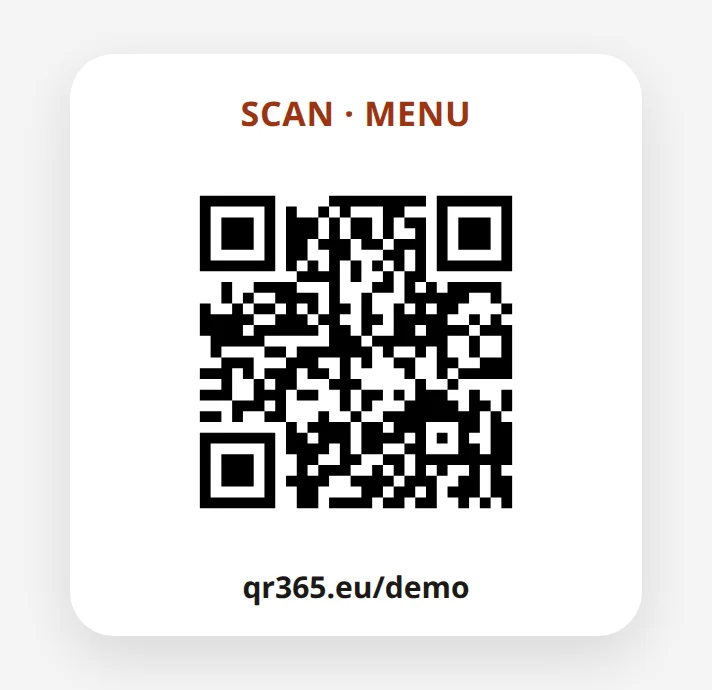
Download your QR code as PNG, JPEG or PDF, or order ready-made QR stickers for your tables. When you change the menu, the code stays the same. Scan this one to open our demo menu.
- Your own address, like qr365.eu/your-name
- QR stickers with delivery included
- Old codes keep working, even if you change the address
How it works
-
Sign up
Create your account and your shop.
-
Build your menu
Add your categories, dishes, prices and photos.
-
Publish
Publish, download your QR code and put it on the tables.
See what you would pay
Choose monthly or yearly, your branches and your menu languages. The total changes as you go.
Branches
Friends I invite who pay
5% off for each friend who pays, up to 40% in total.
Menu languages
2 languages are included. More can be added once a branch is subscribed; each one is charged per branch.
Yearly payment saves 10%.
- First branch, per month
- €12.00
- Each additional branch, per month
- Each extra language, per branch, per month
- Your discount
- 12 months
- Discount when paying yearly
Total per month €12.00
Before VAT. Greek VAT numbers pay 24% VAT; VAT numbers from other countries pay none.
Try everything free first, no card needed.
Start freeQuestions and answers
Do my guests need an app?
No. They scan the QR code with the phone's camera and the menu opens in the browser.
How does the free trial work?
You get 30 days with everything switched on and no card needed. Subscribe only if you want to keep the menu online.
Can I change prices and dishes at any time?
Yes. Edit the menu and publish; your guests see the change right away. The QR code stays the same.
Which languages can my menu have?
Two languages are included: your own and one more of your choice. You can add any of the 14 supported languages for an extra charge, Chinese, Japanese and Arabic included. AI suggests the translations and you can correct them.
Can I offer one price for everything, like “as much as you want”?
Yes. Create an à la carte category: it has one price, you add the dishes without prices and explain the rules in its description. Guests add the whole category to their order.
I have more than one shop. Is that possible?
Yes. Each branch has its own menu, QR code and invoice details, and you can give managers access to the branches they run.
Can I mark frozen products or allergens?
Yes. Add notes to a category, such as “Frozen product” or “Contains nuts”, and tick them on the dishes. Guests see the * mark next to the dish and the note under the category, in their language.
Does the menu show my legal details?
Yes. Your business name, VAT number, address and the person responsible appear at the end of the menu and on the printed PDF, with any text you add, for example about a service charge. Please check with your accountant what your area requires.
How do I reach you with a question or an idea?
From your dashboard: tap Send feedback at the top of any page. Our answer comes to your messages (the bell) and by email. Visitors can use the contact form below.
Can I try it without signing up?
Yes. Use the demo buttons at the bottom of this page to open a sample menu, or the dashboard as an owner or a manager.
Contact us
Questions, ideas or help with your menu: write to us and we will answer by email.
Try it free for 30 days
No card needed. Your menu can be online today.